Viewer web app
Responsive Netflix-style web app with personalised rows, search, watchlist, profiles and Chromecast — installable as a PWA, with server-rendered title pages and a sitemap for SEO.
A complete streaming platform under your brand — server-rendered web app, Android + iOS apps, Android TV / Fire TV apps and an admin CMS. One-click TMDb catalog import, 2,200+ ready live TV channels with EPG, adaptive HLS playback with offline downloads and Watch Party, and SVOD subscriptions, 48-hour rentals and a free ad-supported tier billed through Razorpay and Stripe.
5 app surfaces · 3 revenue models (SVOD · TVOD · AVOD) · 2,200+ ready live TV channels · 6 – 10 weeks to launch
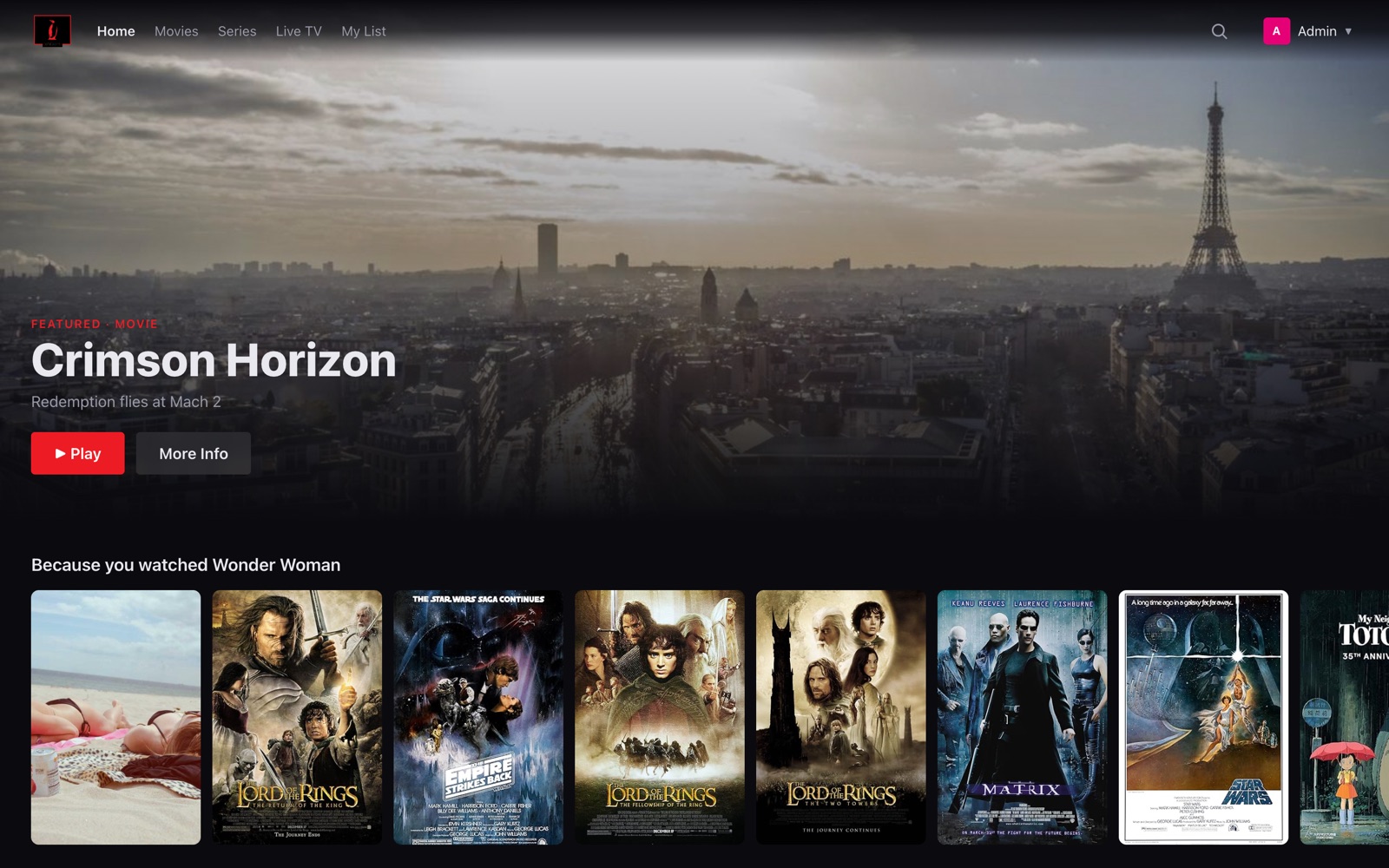
Every screenshot below is captured from the running platform — browse it yourself at pengwintv.demo-zone.in: a 608-title TMDb-imported catalog, 2,200+ live TV channels and the full admin CMS behind them.
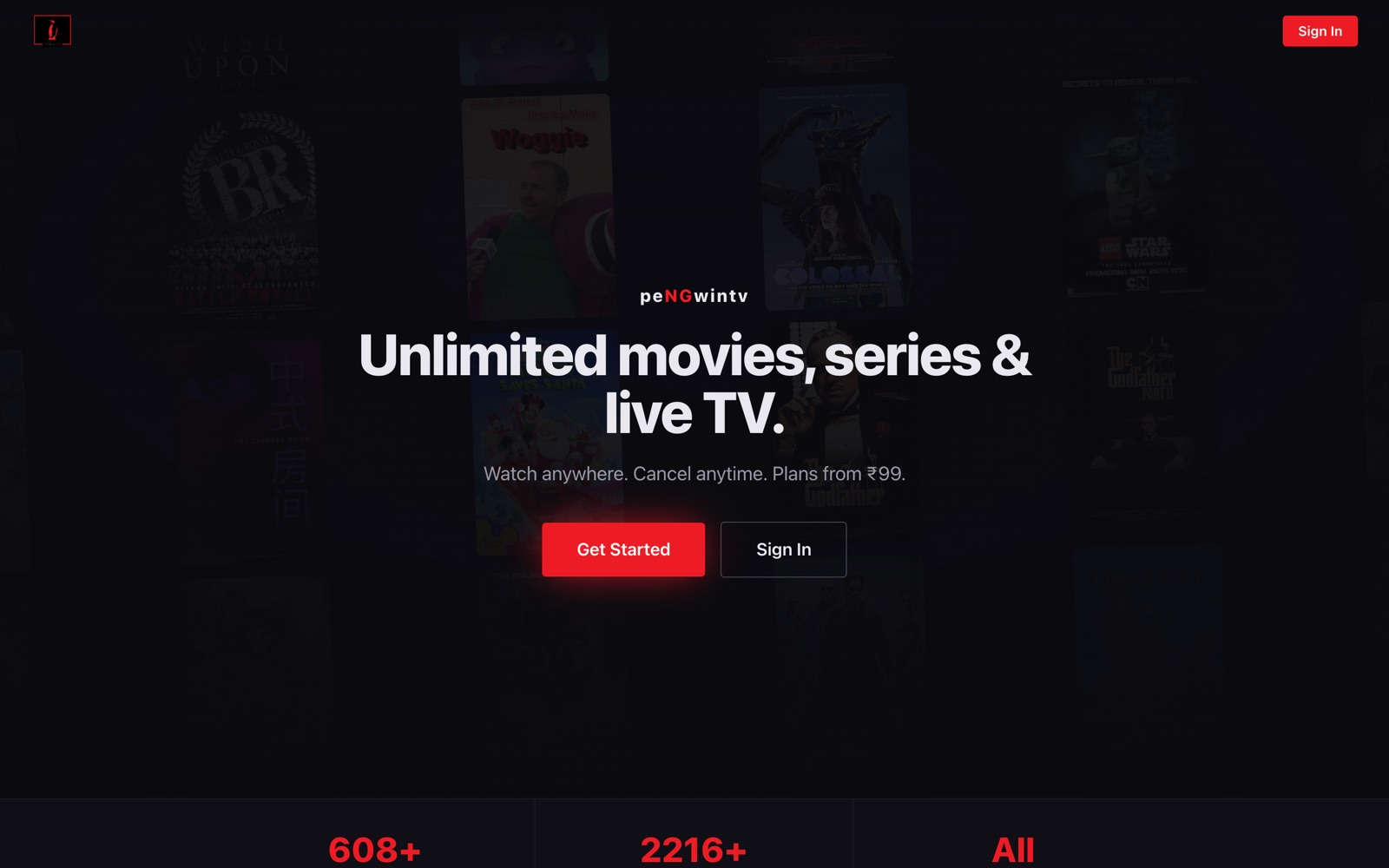
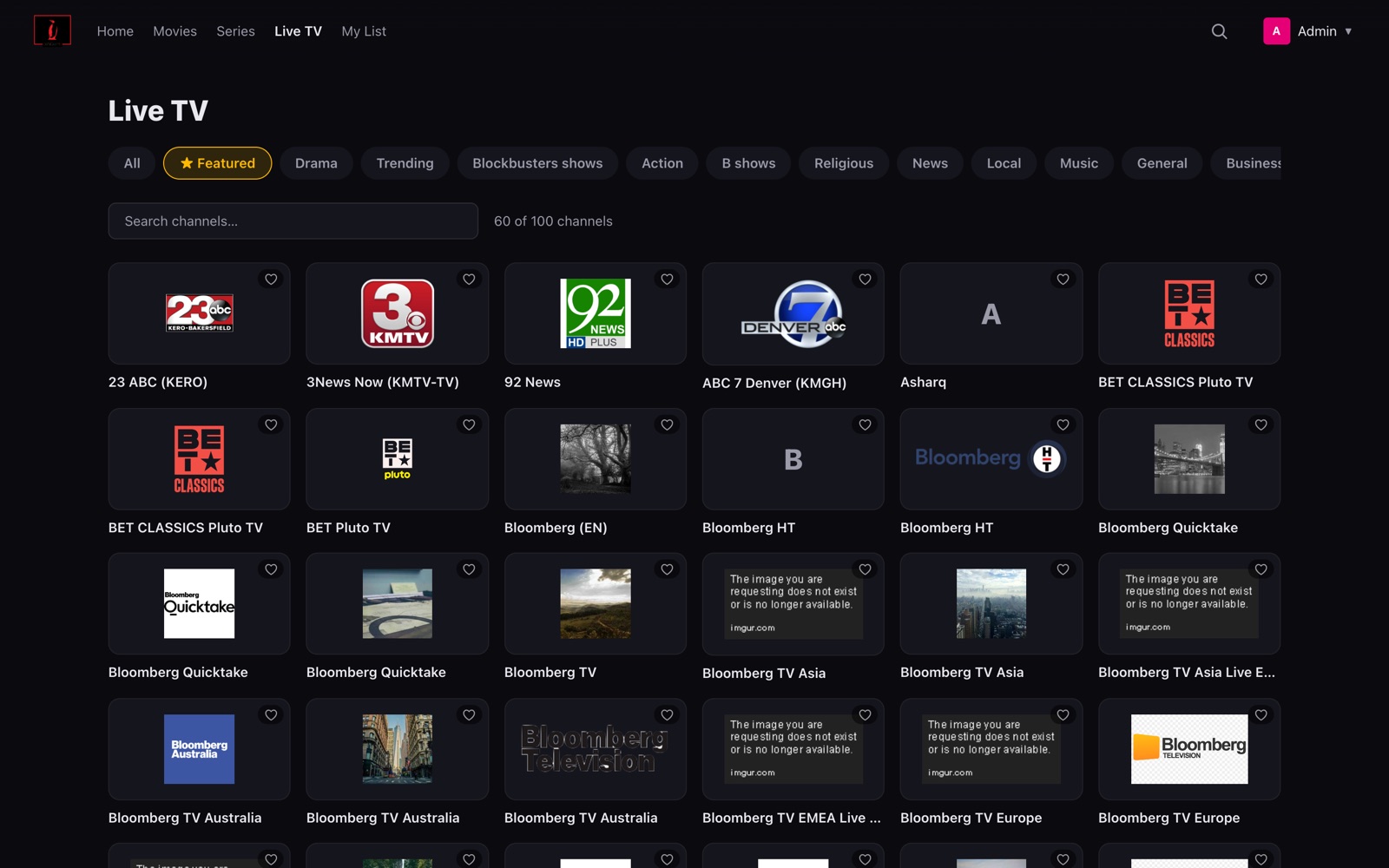
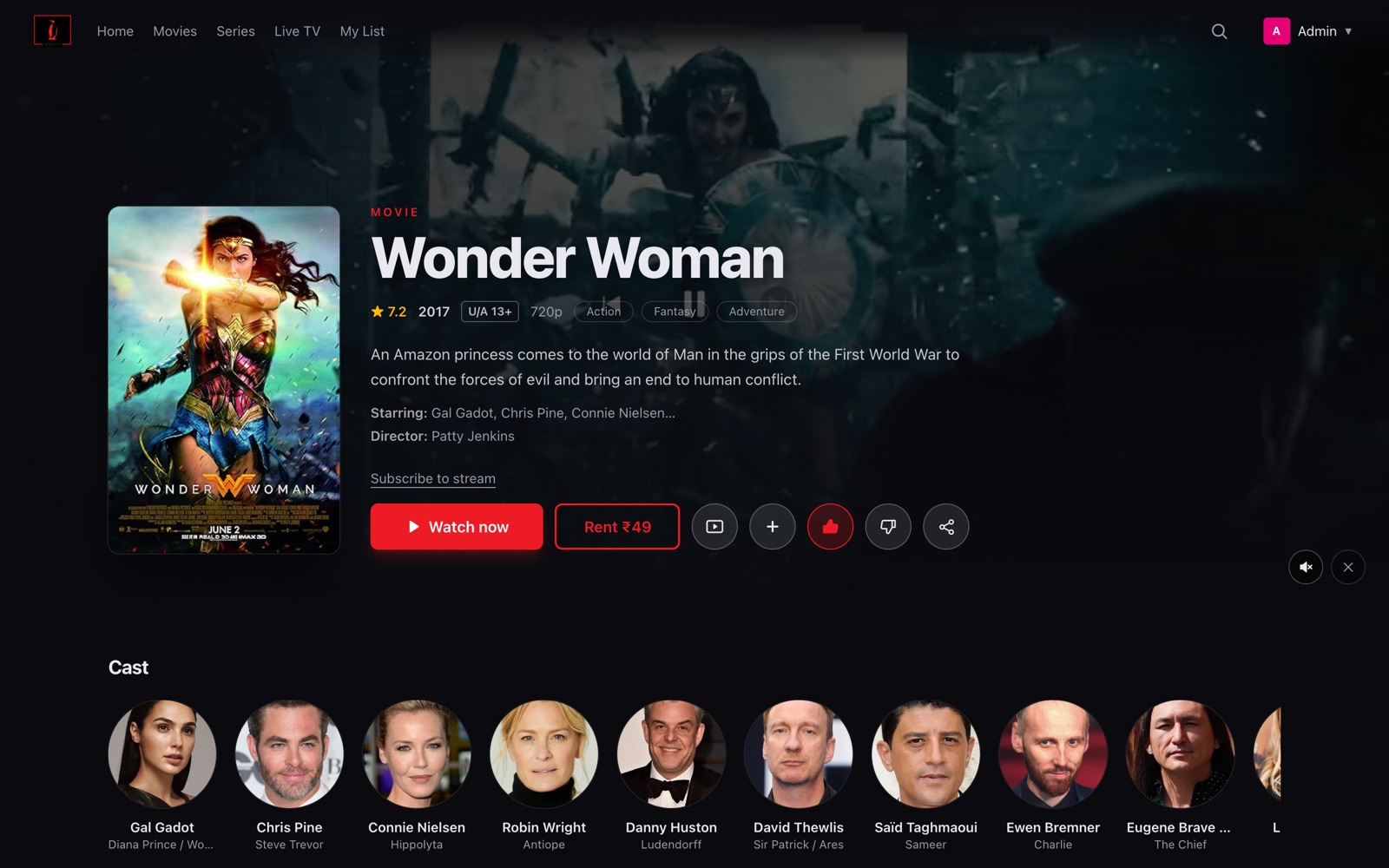
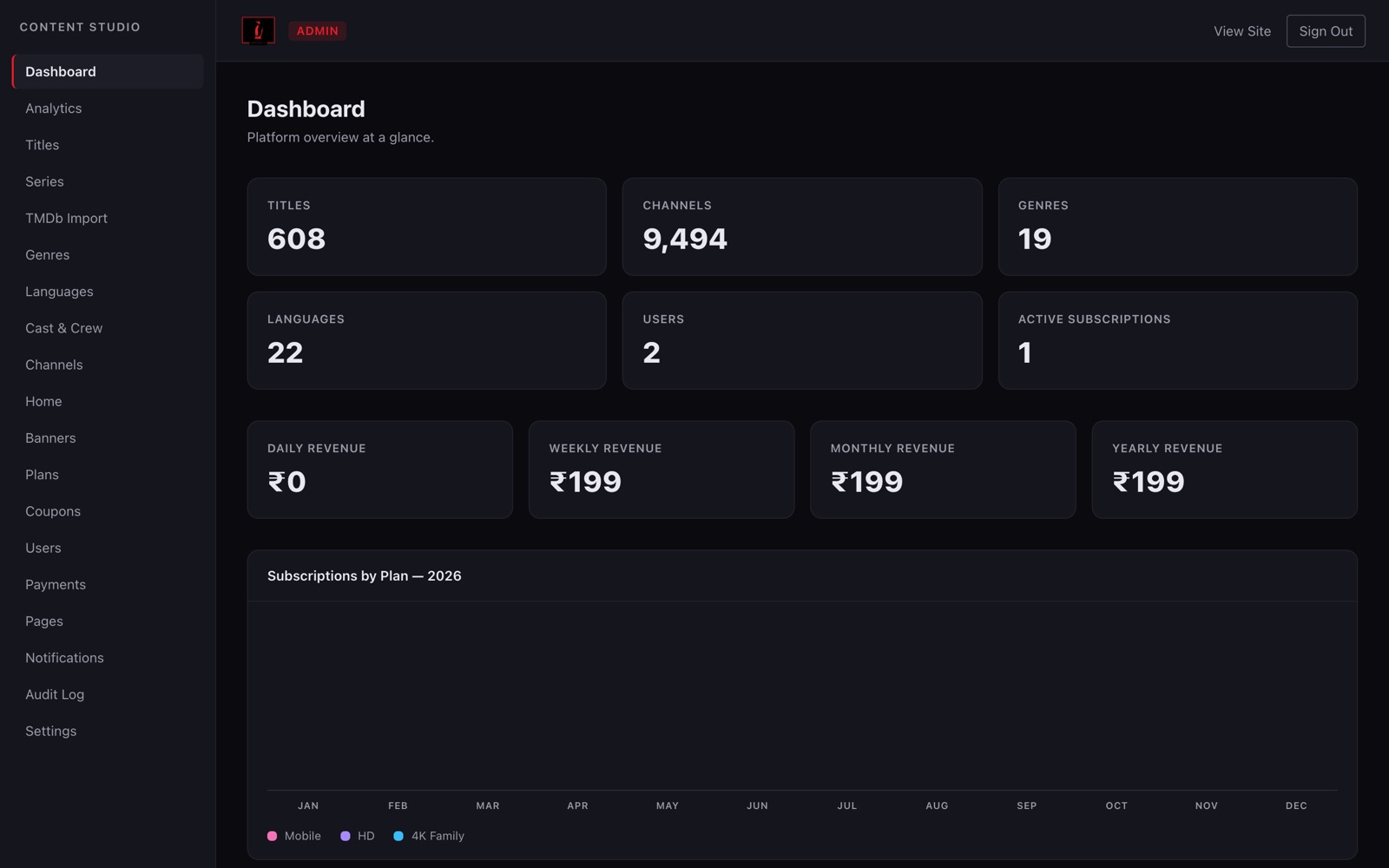
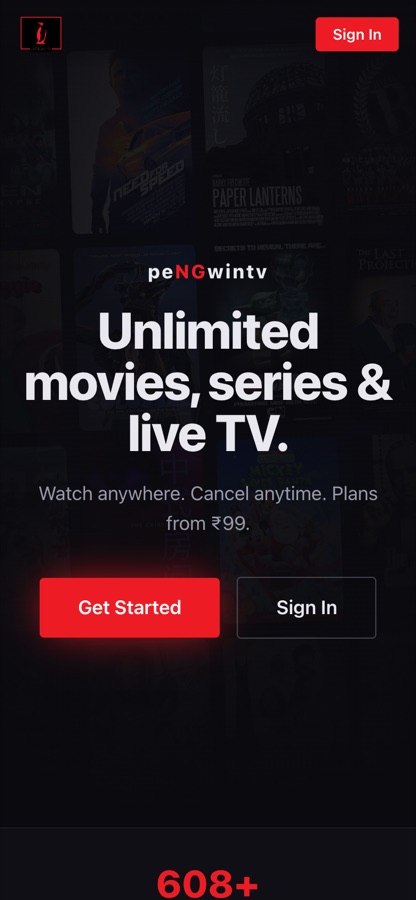
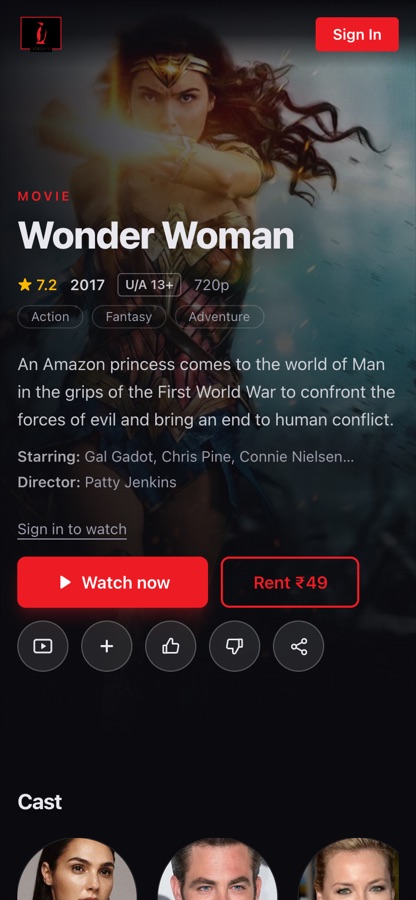
Viewers sign in once and pick up where they left off — on the web player, their phone or the living-room TV. Everything is driven by the same catalog and entitlement engine.
Responsive Netflix-style web app with personalised rows, search, watchlist, profiles and Chromecast — installable as a PWA, with server-rendered title pages and a sitemap for SEO.
Native-feel apps with offline downloads (HLS included), picture-in-picture, push notifications, Watch Party and in-app plan purchase.
Android TV and Fire TV apps with D-pad navigation, 10-foot UI and autoplay-next — Apple TV available on request.
Twenty modules: one-click TMDb catalog import, live-channel management, plans, coupons, gift codes, push campaigns, audit log and revenue analytics — no engineer required.
Seventeen production-grade modules — from TMDb ingest and transcoding to entitlements, billing and analytics — already wired together and running on the live demo.
Movies and series with seasons and episodes — one-click TMDb import pulls metadata, posters, trailers and cast, with scheduled publishing windows.
2,200+ ready-to-enable live channels with EPG (Now / Next), featured rails, category chips and instant search — plus your own HLS channel streams.
Tiered plans (SD / HD / 4K, screen limits), free trials, coupons, dunning and grace periods, plan upgrades with proration.
48-hour rentals priced per title, straight from the title page — a Rent button next to Watch now, resolved by the same entitlement engine as plans.
A free watch-with-ads tier with VAST / IMA pre-roll insertion — widen the funnel, then upsell viewers to an ad-free plan.
UPI, cards, netbanking and wallets via Razorpay for India; Stripe for global. Recurring mandates, invoices and GST-ready reports.
Token-signed, expiring stream URLs, player watermark overlay and per-plan device / screen limits today; Widevine + FairPlay DRM on the roadmap.
Adaptive-bitrate HLS playback with subtitle tracks, skip-intro, autoplay-next episode, picture-in-picture and Chromecast — hardened across devices.
Multiple profiles per account, a locked-down Kids mode, maturity ratings per title and PIN-protected profiles.
Cross-device resume points synced in real time, personal watchlists, "because you watched" rows and recently-added rails.
Home-screen curation, one-click TMDb catalog import, release scheduling, user and plan management, role-based access and an audit log of every change.
Watch-time, completion and drop-off curves per title, plan conversion funnels, churn cohorts, revenue by model and QoE (buffering) metrics.
New-release and live-event alerts, resume-watching nudges, plan-expiry reminders — segmented by profile, plan and viewing history.
Synced group playback with live chat across devices, plus offline downloads — including HLS streams — for viewing without a connection.
Gift codes, coupons and referral rewards, backed by email automation — payment receipts, expiry reminders and new-content digests.
WebVTT subtitle tracks and multiple audio languages per title, in-player language switcher and a fully localisable app UI.
Your logo, colors, typography and app-store listings across every surface — no PengwinTV branding anywhere in the viewer experience.
Start lean, add distribution and protection as your catalog and audience grow.
Android TV and Fire TV apps with 10-foot UI and store submission handled end-to-end. Apple TV (tvOS), Samsung Tizen and LG webOS on request.
Widevine (Android / web) + FairPlay (Apple) multi-DRM — on the product roadmap and scoped into your engagement when content licensors require it. Signed delivery and device limits ship as standard.
CloudFront or Cloudflare configuration with signed cookies, regional edge caching, origin shielding and cost-per-GB optimisation for your traffic profile.
From a raw master file to revenue on the dashboard — here's how content moves from upload to every screen your audience owns.
Movies, series episodes and trailers via the Admin CMS — posters, cast and metadata pulled in one click from TMDb.
FFmpeg renders the adaptive HLS ladder with signed, expiring URLs and per-plan device limits — DRM-ready for the roadmap upgrade.
Curate home-screen rows, set maturity ratings and schedule release windows.
SVOD plan, TVOD rental or the free ad-funded tier — billed through Razorpay or Stripe.
Web player, iOS and Android apps and TV apps — with resume points synced across devices.
Watch-time, churn cohorts and revenue by model feed new-release pushes and plan decisions.
Sign up → pick a plan or rental → browse & search → play on any screen → resume anywhere → get new-release alerts.
Upload title → transcoding runs → add artwork & subtitles → schedule release → curate home rows → track per-title analytics.
Set plans & pricing → run coupons → track SVOD / TVOD / AVOD revenue → watch churn and QoE → keep 100% of subscriber revenue.
One-time license, white-label branding and one production deployment on your infrastructure — you keep 100% of subscriber revenue.
One-time license · 6-week ship
One-time license · 10-week ship
Multi-tenant options · source-code escrow
A custom OTT build is a 12-month, multi-crore engineering program before the first subscriber signs up. Licensing a proven platform changes the math.
| Factor | Building from scratch | Smart Desizns OTT |
|---|---|---|
| Time to launch | 9 – 18 months | 6 – 10 weeks |
| Engineering team needed | 6 – 12 engineers, ongoing | None — we ship & hand over |
| Transcoding pipeline | Build & debug FFmpeg / ABR yourself | Production-proven, per-title optimised |
| Player edge-cases | Months of device-matrix QA | Already hardened across devices |
| Content security | Complex vendor integrations | Signed URLs + device limits built-in; DRM-ready roadmap |
| Billing (UPI / cards / IAP) | Each gateway integrated separately | Razorpay + Stripe + store IAP wired |
| Admin CMS | Usually an afterthought | Full CMS from day one |
| TV apps | Separate codebases per platform | Add-on pack, same catalog API |
| Source-code ownership | Yes — at full build cost | Yes — included in license |
| Revenue share | None | None — one-time license |
You do, on both counts. The platform deploys to your own cloud account (AWS, GCP, DigitalOcean or an Indian VPS provider), your videos sit in your object storage, and subscriber data lives in your database. We set it up, hand over credentials and document everything — there is no lock-in to our infrastructure.
For original or self-produced content, token-signed expiring URLs plus concurrent-stream limits stop casual sharing and hotlinking, and most creators launch with that. If you license content from studios or distributors, their agreements almost always mandate Widevine / FairPlay DRM — that is exactly what the DRM add-on on our roadmap covers, and it can be scoped into your build and enabled later without re-encoding your catalog.
Yes — monetisation is set per title, not per platform. A typical setup: a free ad-supported tier for reach, a premium subscription that removes ads and unlocks the full library, and pay-per-view for live events or early premieres. The entitlement engine resolves what each viewer can watch and at what quality.
Yes. Apps ship under your own developer accounts (Apple Developer Program and Google Play Console), with your listings, screenshots and branding. We handle build signing, store metadata, review submission and the compliance requirements around in-app purchases for subscription content.
The CMS supports bulk import: you provide source files (or exports) plus a metadata sheet, and the pipeline transcodes everything into the ABR ladder, generates thumbnails and previews, and organises titles into your catalog structure. Large catalogs are migrated in batches so you can start publishing while the rest processes.
Your infrastructure bill — servers, storage, CDN bandwidth and payment-gateway fees — which you pay directly to those providers and which scales with your audience. Small catalogs with a few thousand viewers typically run lean on a single VPS plus CDN. An optional annual maintenance retainer covers updates, monitoring and priority fixes, but it is not mandatory.
Book a 30-minute walkthrough of the platform — web, mobile, TV and the admin CMS — with our solution architect. We reply within one business day with a proposal and timeline.